Cyph3rfall icon

CYPHΞRFALL

Ambient Digital Rain for macOS

v1.3 — Now Available Free & Open Source Swift & AppKit macOS 14+ No Dependencies
Download Latest Release

v1.3  ·  macOS 14 Sonoma or later  ·  Free forever

↓   scroll

What's New

Version 1.3

A focused performance and reliability release — smoother animation, lower CPU, and better multi-monitor support.

⚡️
Faster Rendering

Glyphs are now pre-rendered into a bitmap atlas and drawn as GPU-accelerated image blits — eliminating per-frame Core Text layout calls. Smoother animation at all density settings.

🖥
High-Refresh Display Support

Frame rate raised to 60fps. The previous 30fps cap caused uneven pacing on high-refresh monitors (144Hz, 165Hz), which appeared as choppiness. Now smooth on all display types.

🔧
Background CPU Fix

Fixed a bug where the animation could continue running after the screensaver was dismissed, causing persistent high CPU usage. CPU now returns to near zero immediately on dismissal.

🖥
Overlays on Main Display Only

New toggle in Settings → General to restrict the clock and message overlays to your primary display. Secondary displays show rain only.

🗂️
Redesigned Settings Panel

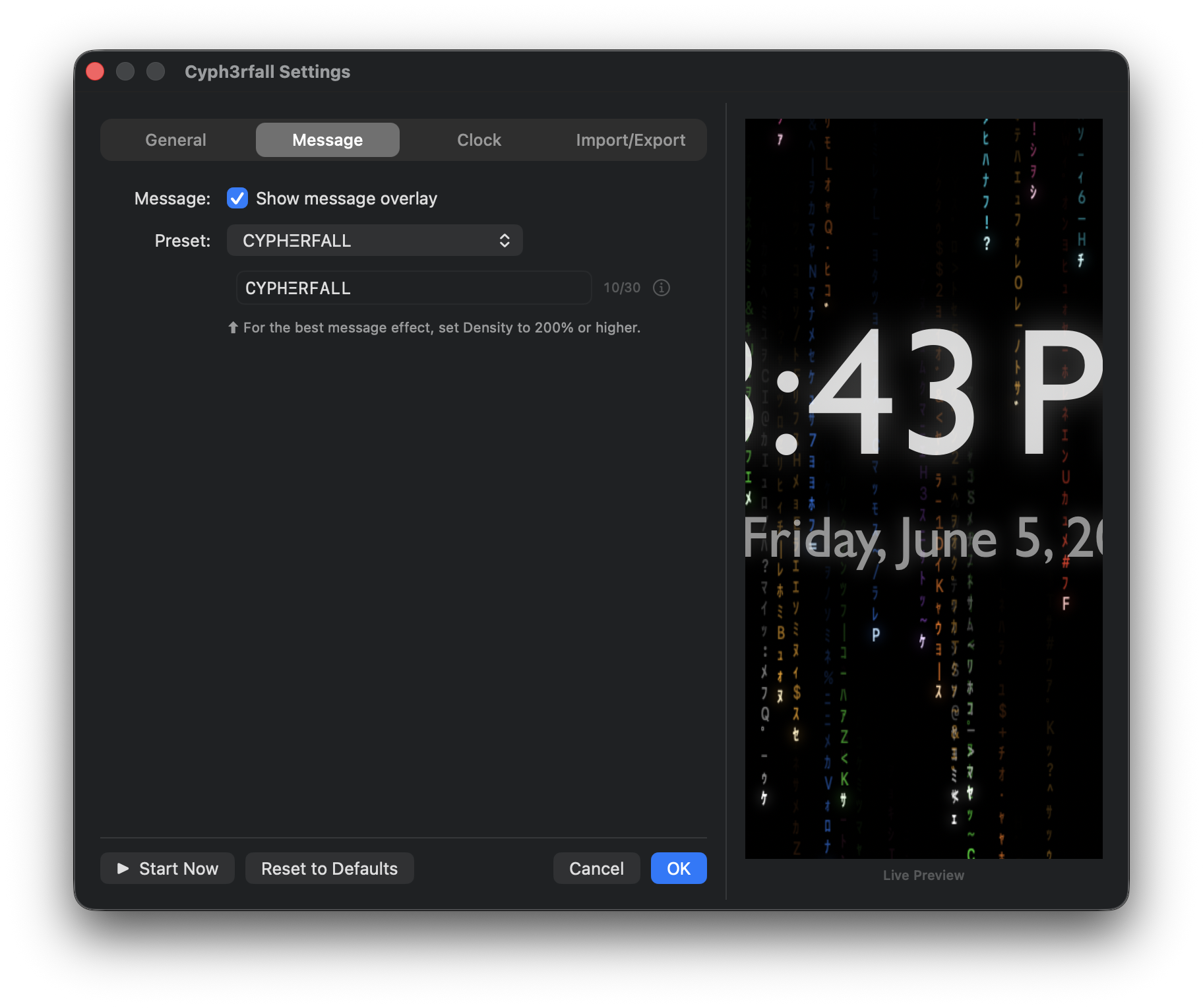
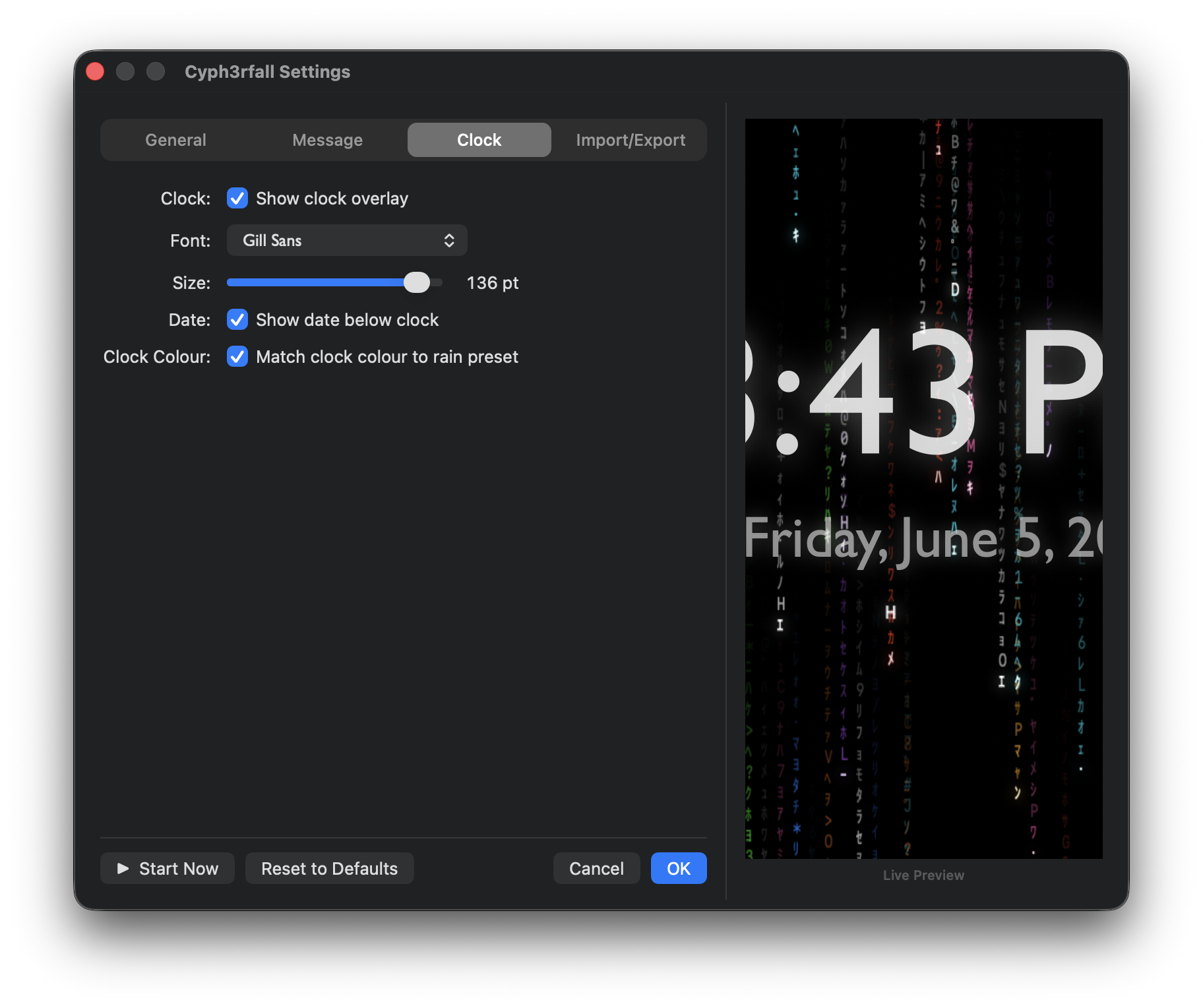
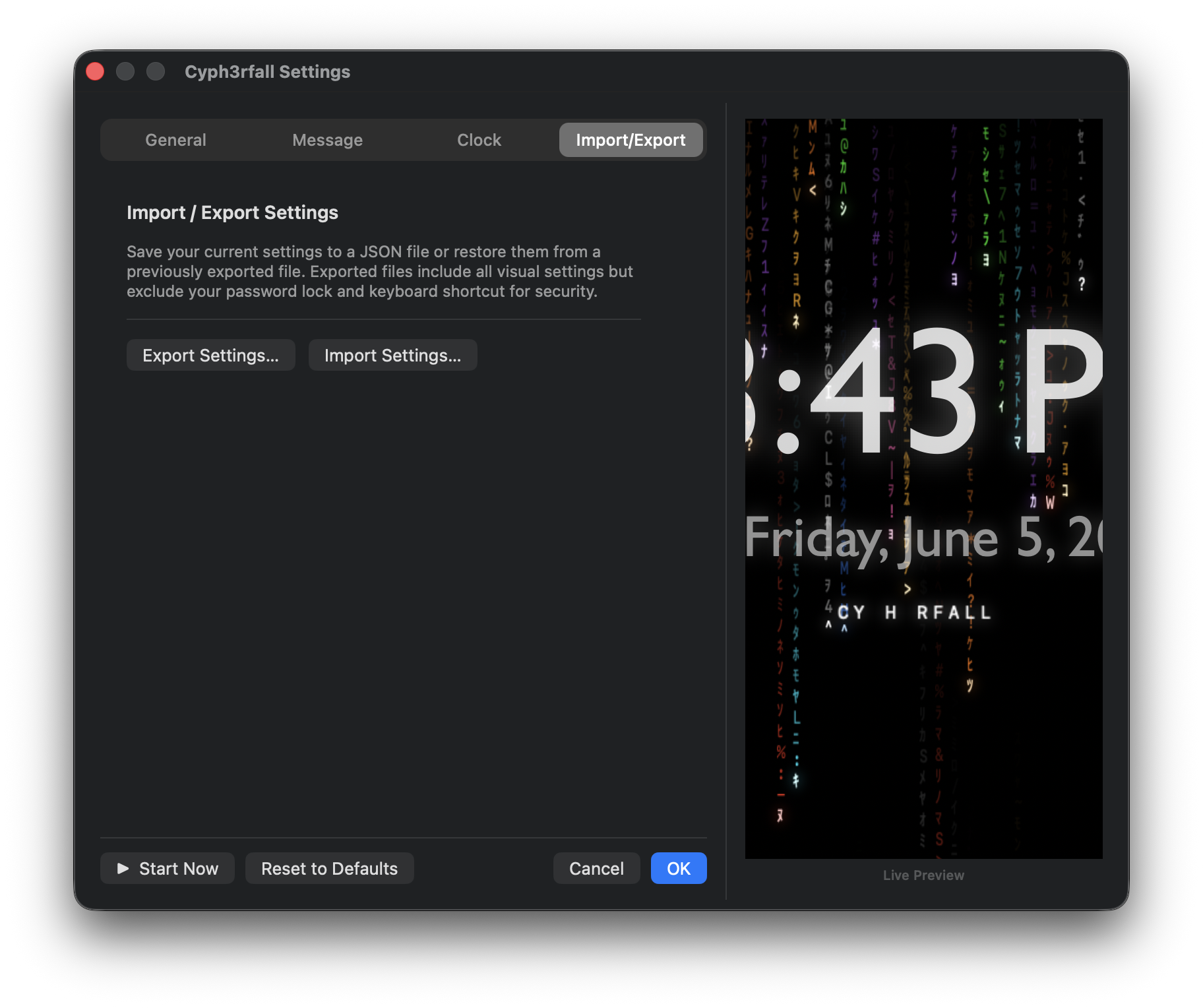
Settings are now organised into tabs — General, Message, Clock, and Import/Export. Controls for disabled features are automatically grayed out, and tabs slide between pages with a smooth animation.

🔄
Automatic Update Check

Cyph3rfall checks GitHub for new releases on every launch and shows a banner in the menu when one is available. You can also trigger a manual check from the About panel at any time.

💾
Export & Import Settings

Save your entire configuration to a JSON file and restore it whenever you like. Visual settings are included; your password lock and keyboard shortcut are excluded for security.

⬛️
Column Spacing Control

New Wide / Narrow toggle in the General tab. Narrow packs columns 25% closer together for a denser, more intense rain — Wide restores the original spacing.

🎨
Clock Colour Tied to Rain Preset

A new checkbox in the Clock tab tints the clock overlay to match your active colour preset — head colour for the time, foreground colour for the date. Toggle it off for the classic neutral white.


Features

The Matrix screensaver I always wanted didn't exist.
So I built it.

Lives in the Menu Bar

No Dock icon, no clutter. Access everything from the Ξ icon in your menu bar. Launches at login, stays out of the way.

Idle Activation

Starts automatically after a configurable idle timeout — 1 minute to 30 minutes, or never. Also activates on system sleep.

⌨️
Global Shortcut

Record a system-wide keyboard shortcut to launch the screensaver instantly from any app, no menu required.

🖥
Multi-Monitor

Covers every connected display simultaneously, with smooth fade-in and fade-out transitions across all screens.

🎨
9 Colour Presets

Green, Amber, Cyan, White, Purple, Blue, Red, Orange, and Pink. Each preset has a coordinated trail and head glyph colour.

🌈
Chromafall

Give every falling stream its own randomly chosen colour. Re-randomised each time a stream wraps — always in motion.

💬
Message Overlay

Hide a phrase in the rain. Characters materialise one by one as falling columns pass through them, then fade as a group. Includes built-in presets.

🕐
Clock Overlay

Display the time and date in a customisable font, subtly rendered over the rain with slow drift to prevent screen burn.

🔒
Password Lock BETA

Require Touch ID, Face ID, or Apple Watch authentication to dismiss. Lock arms automatically once your idle threshold is met.

🎛
Deep Customisation

Speed, density, glyph size, trail length, glow, Classic Dense Mode — tweak everything with a live preview in the settings panel.

🪄
No Frameworks

Pure Swift and AppKit. No third-party dependencies, no screensaver framework workarounds. Just a native Mac app doing its thing.

🔄
Auto Update Check

Checks GitHub for new releases on launch and shows a banner in the menu when one is available. Trigger a manual check any time from the About panel.

⬛️
Column Spacing

Switch between Wide and Narrow column density. Narrow packs columns 25% closer together for a denser, more intense rain effect.

🎨
Clock Colour Presets

Optionally tie the clock overlay colour to your active rain preset. Toggle it on and the clock tints itself to match — toggle it off for the classic neutral white.

💾
Settings Backup

Export your entire configuration to a JSON file and import it back any time. Great for backing up your setup or sharing settings between Macs.
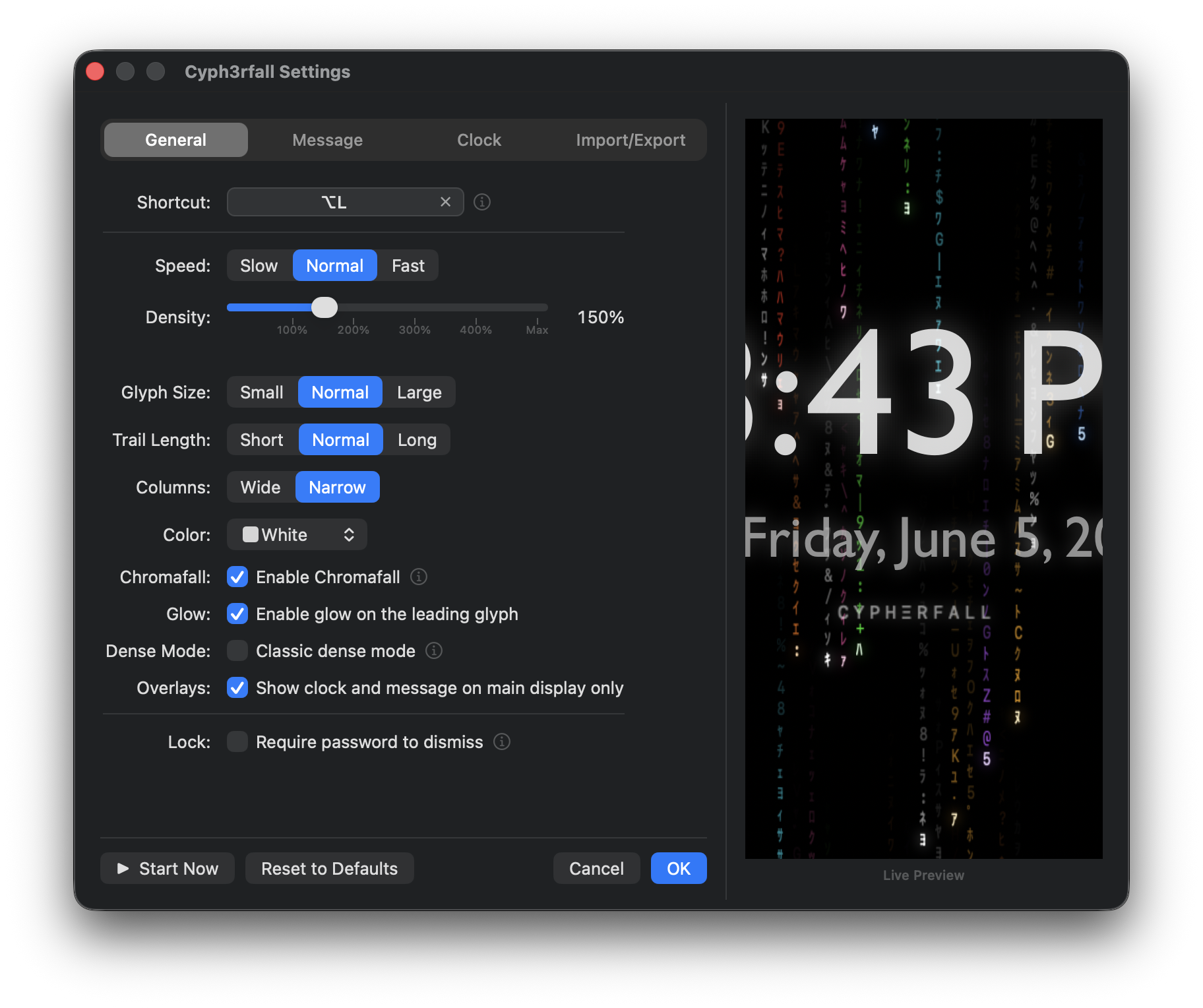
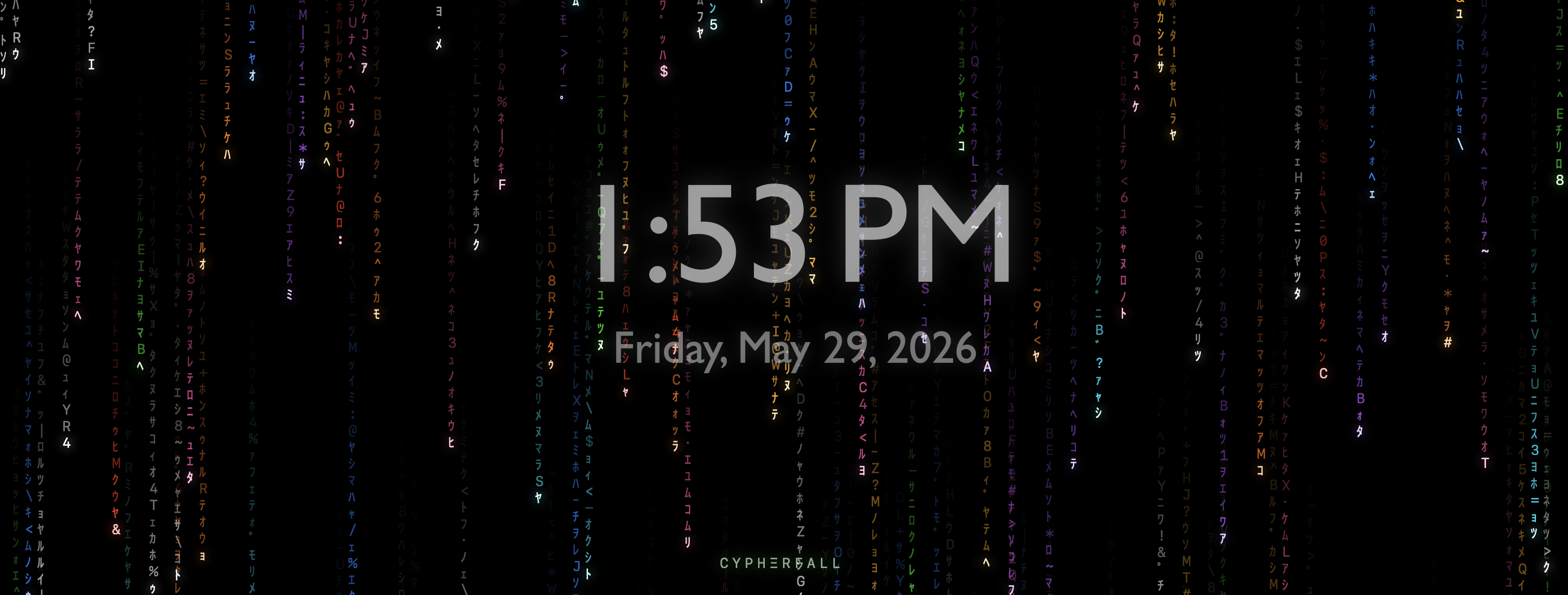
Cyph3rfall in Chromafall mode — every column in a different colour, with the clock overlay showing the time and date in the centre of the screen.

Built by a non-coder.
Powered by Claude.

Cyph3rfall started as a simple question: why isn't there a good Matrix rain screensaver for modern macOS? I had used MatrixMania on Windows for years and missed that feeling. So I decided to build my own — the problem being that I'm not a software developer.

Every feature in this app was conceived and directed by me, and implemented in close collaboration with Claude Code by Anthropic. I described what I wanted in plain language. Claude Code wrote the Swift, caught the bugs, and optimised the rendering. This is what building software looks like when AI handles the code and a human handles the vision.

I think of it as dAId — Directed AI Development. Not vibe coding, where you blindly accept whatever the AI produces. Not traditional development, where you write every line yourself. Something in between: the human holds the vision, makes the decisions, and owns the product. The AI handles the implementation. It is very much a work in progress — and that's exactly the point.

Installation

Up and running
in under a minute.

1
Download Cyph3rfall-v1.3.dmg from the Releases page.
2
Open the DMG and drag Cyph3rfall.app to your /Applications folder.
3
Launch Cyph3rfall — the Ξ icon appears in your menu bar. Click it to start, configure, or enable Launch at Login.
💡 Recommended: Go to System Settings → Screen Saver and set the screensaver to None. This prevents macOS from launching its own screensaver on top of Cyph3rfall.

Requirements

What you need.

Tested on